


고객센터 실시간 채팅 실시간 알림 뱃지 기능 소스 공유
Club Shooter
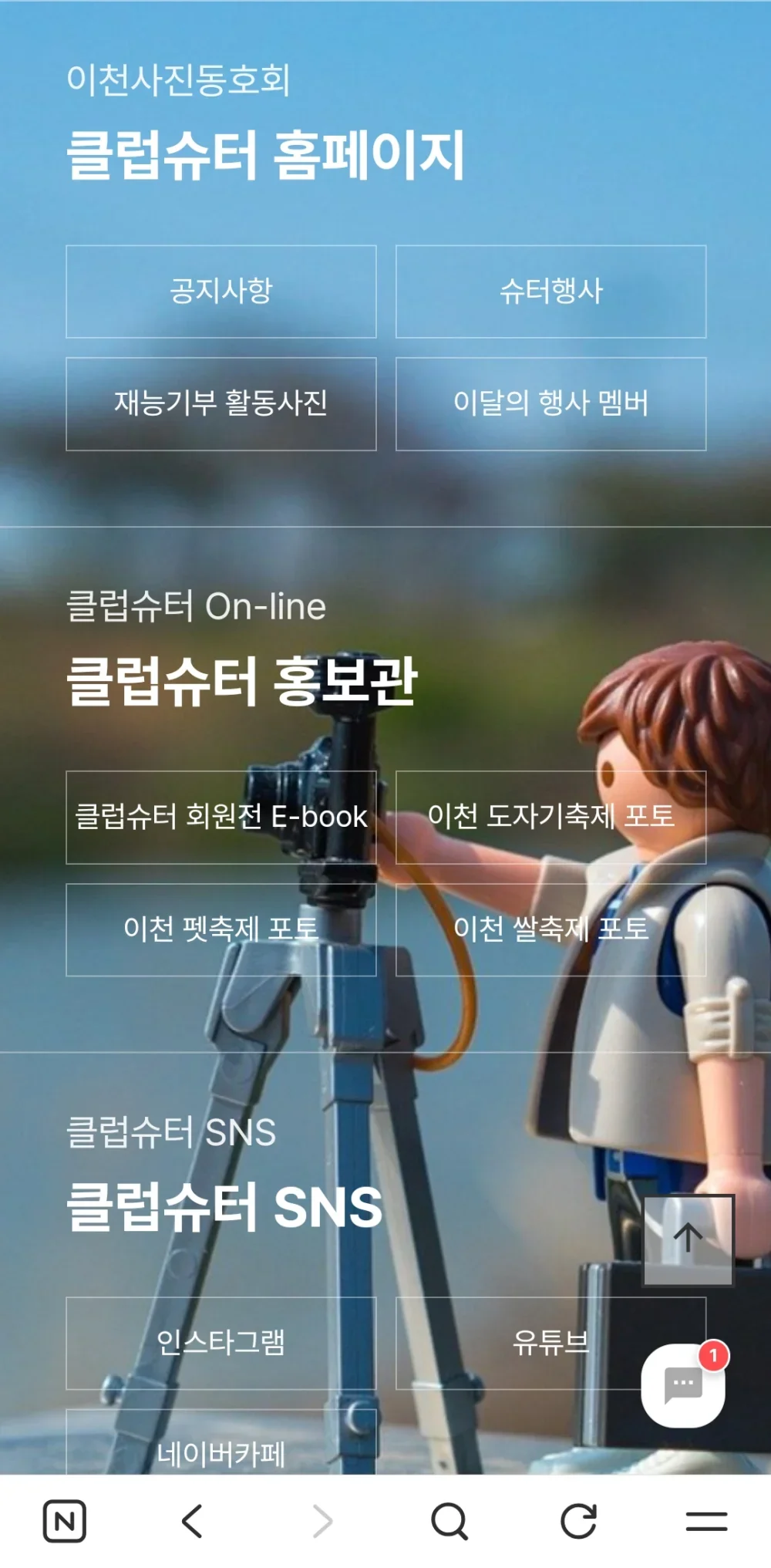
 상담내용 카운트 되면서 표시됩니다.
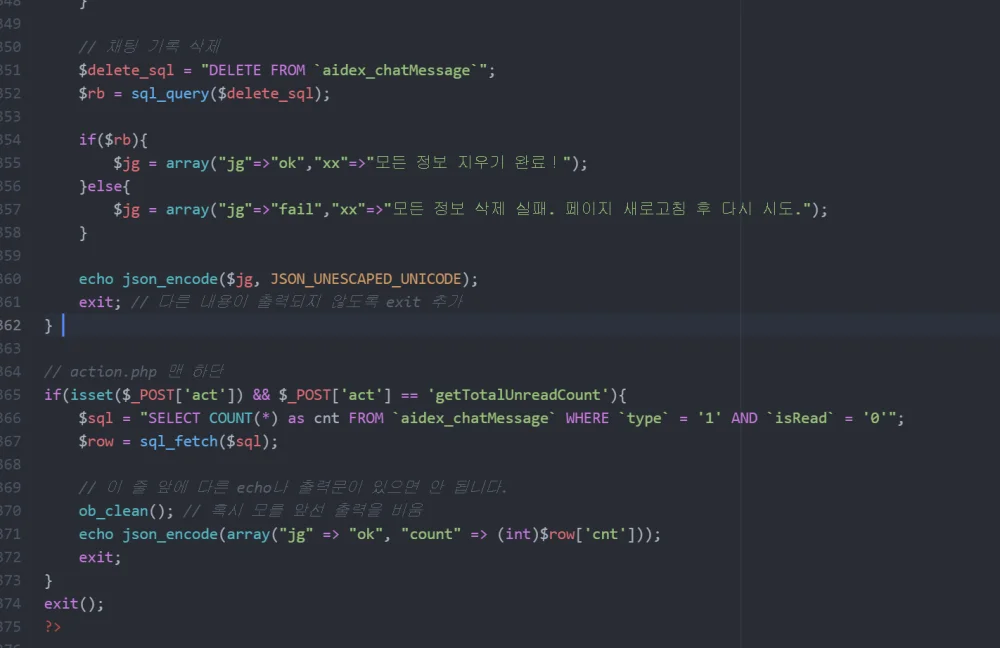
// action.php 맨 하단
if(isset($_POST['act']) && $_POST['act'] == 'getTotalUnreadCount'){
$sql = "SELECT COUNT(*) as cnt FROM `aidex_chatMessage` WHERE `type` = '1' AND `isRead` = '0'";
$row = sql_fetch($sql);
// 이 줄 앞에 다른 echo나 출력문이 있으면 안 됩니다.
ob_clean(); // 혹시 모를 앞선 출력을 비움
echo json_encode(array("jg" => "ok", "count" => (int)$row['cnt']));
exit;
}
tail.sub.php
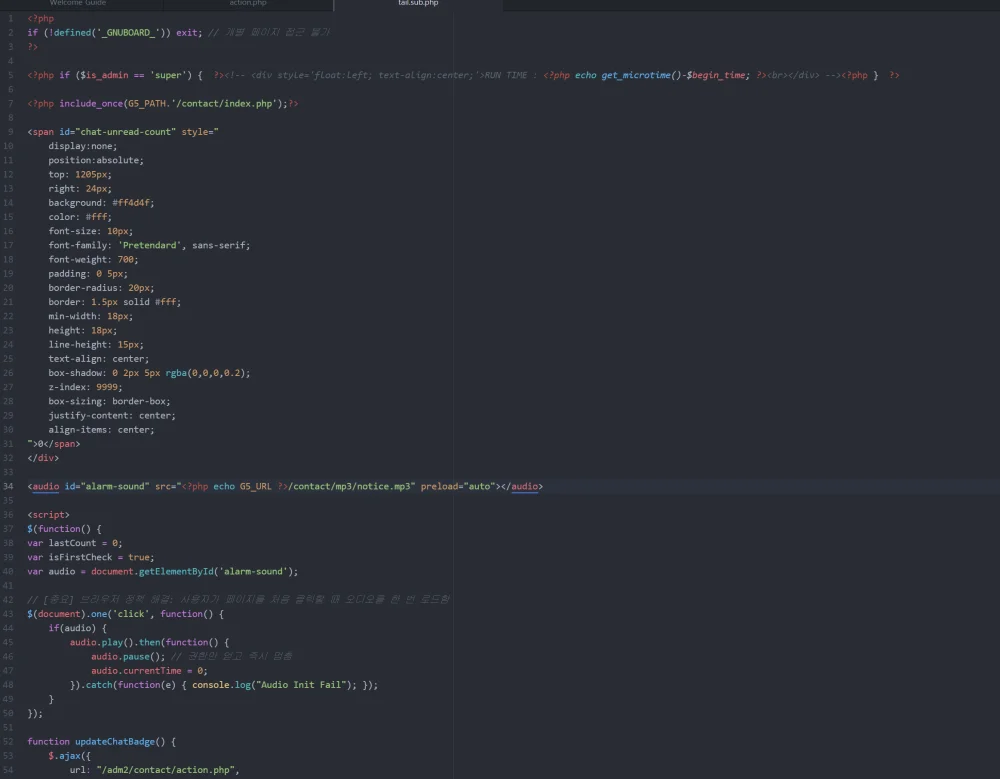
<?php include_once(G5_PATH.'/contact/index.php');?>
<span id="chat-unread-count" style="
display:none;
position:absolute;
top: 1205px;
right: 24px;
background: #ff4d4f;
color: #fff;
font-size: 10px;
font-family: 'Pretendard', sans-serif;
font-weight: 700;
padding: 0 5px;
border-radius: 20px;
border: 1.5px solid #fff;
min-width: 18px;
height: 18px;
line-height: 15px;
text-align: center;
box-shadow: 0 2px 5px rgba(0,0,0,0.2);
z-index: 9999;
box-sizing: border-box;
justify-content: center;
align-items: center;
">0</span>
</div>
<audio id="alarm-sound" src="<?php echo G5_URL ?>/contact/mp3/notice.mp3" preload="auto"></audio>
<script>
$(function() {
var lastCount = 0;
var isFirstCheck = true;
var audio = document.getElementById('alarm-sound');
// [중요] 브라우저 정책 해결: 사용자가 페이지를 처음 클릭할 때 오디오를 한 번 로드함
$(document).one('click', function() {
if(audio) {
audio.play().then(function() {
audio.pause(); // 권한만 얻고 즉시 멈춤
audio.currentTime = 0;
}).catch(function(e) { console.log("Audio Init Fail"); });
}
});
function updateChatBadge() {
$.ajax({
url: "/adm/contact/action.php",
type: "POST",
data: { act: "getTotalUnreadCount" },
cache: false,
success: function(data) {
try {
var res = JSON.parse(data);
if (res.jg == "ok") {
var count = parseInt(res.count);
// 새로운 메시지가 왔을 때만 소리 재생
if (!isFirstCheck && count > 0 && count > lastCount) {
if (audio) {
audio.muted = false;
var playPromise = audio.play();
if (playPromise !== undefined) {
playPromise.catch(function(error) {
console.log("재생 차단됨: 페이지 내 아무곳이나 클릭이 필요합니다.");
});
}
}
}
lastCount = count;
isFirstCheck = false;
if (count > 0) {
$('#chat-unread-count').text(count > 99 ? '99+' : count).css('display', 'flex');
} else {
$('#chat-unread-count').hide();
}
}
} catch(e) {
console.log("파싱 에러");
}
}
});
}
setInterval(updateChatBadge, 10000);
updateChatBadge();
});
</script><span id="chat-unread-count" style="
display:none;
position:absolute;
top: -3px;
right: -3px;
background: #ff4d4f;
color: #fff;
font-size: 10px;
font-family: 'Pretendard', sans-serif;
font-weight: 700;
padding: 0 5px;
border-radius: 20px;
border: 1.5px solid #fff;
min-width: 18px;
height: 18px;
line-height: 15px;
text-align: center;
box-shadow: 0 2px 5px rgba(0,0,0,0.2);
z-index: 9999;
box-sizing: border-box;
justify-content: center;
align-items: center;
">0</span>
</div>
<audio id="alarm-sound" src="<?php echo G5_URL ?>/contact/mp3/notice.mp3" preload="auto"></audio>
<script>
$(function() {
var lastCount = 0;
var isFirstCheck = true;
var audio = document.getElementById('alarm-sound');
// [중요] 브라우저 정책 해결: 사용자가 페이지를 처음 클릭할 때 오디오를 한 번 로드함
$(document).one('click', function() {
if(audio) {
audio.play().then(function() {
audio.pause(); // 권한만 얻고 즉시 멈춤
audio.currentTime = 0;
}).catch(function(e) { console.log("Audio Init Fail"); });
}
});
function updateChatBadge() {
$.ajax({
url: "/adm/contact/action.php",
type: "POST",
data: { act: "getTotalUnreadCount" },
cache: false,
success: function(data) {
try {
var res = JSON.parse(data);
if (res.jg == "ok") {
var count = parseInt(res.count);
// 새로운 메시지가 왔을 때만 소리 재생
if (!isFirstCheck && count > 0 && count > lastCount) {
if (audio) {
audio.muted = false;
var playPromise = audio.play();
if (playPromise !== undefined) {
playPromise.catch(function(error) {
console.log("재생 차단됨: 페이지 내 아무곳이나 클릭이 필요합니다.");
});
}
}
}
lastCount = count;
isFirstCheck = false;
if (count > 0) {
$('#chat-unread-count').text(count > 99 ? '99+' : count).css('display', 'flex');
} else {
$('#chat-unread-count').hide();
}
}
} catch(e) {
console.log("파싱 에러");
}
}
});
}
setInterval(updateChatBadge, 10000);
updateChatBadge();
});
</script>
상담내용 카운트 되면서 표시됩니다.// action.php 맨 하단
if(isset($_POST['act']) && $_POST['act'] == 'getTotalUnreadCount'){
$sql = "SELECT COUNT(*) as cnt FROM `aidex_chatMessage` WHERE `type` = '1' AND `isRead` = '0'";
$row = sql_fetch($sql);
// 이 줄 앞에 다른 echo나 출력문이 있으면 안 됩니다.
ob_clean(); // 혹시 모를 앞선 출력을 비움
echo json_encode(array("jg" => "ok", "count" => (int)$row['cnt']));
exit;
}
tail.sub.php
<?php include_once(G5_PATH.'/contact/index.php');?>
<span id="chat-unread-count" style="
display:none;
position:absolute;
top: 1205px;
right: 24px;
background: #ff4d4f;
color: #fff;
font-size: 10px;
font-family: 'Pretendard', sans-serif;
font-weight: 700;
padding: 0 5px;
border-radius: 20px;
border: 1.5px solid #fff;
min-width: 18px;
height: 18px;
line-height: 15px;
text-align: center;
box-shadow: 0 2px 5px rgba(0,0,0,0.2);
z-index: 9999;
box-sizing: border-box;
justify-content: center;
align-items: center;
">0</span>
</div>
<audio id="alarm-sound" src="<?php echo G5_URL ?>/contact/mp3/notice.mp3" preload="auto"></audio>
<script>
$(function() {
var lastCount = 0;
var isFirstCheck = true;
var audio = document.getElementById('alarm-sound');
// [중요] 브라우저 정책 해결: 사용자가 페이지를 처음 클릭할 때 오디오를 한 번 로드함
$(document).one('click', function() {
if(audio) {
audio.play().then(function() {
audio.pause(); // 권한만 얻고 즉시 멈춤
audio.currentTime = 0;
}).catch(function(e) { console.log("Audio Init Fail"); });
}
});
function updateChatBadge() {
$.ajax({
url: "/adm/contact/action.php",
type: "POST",
data: { act: "getTotalUnreadCount" },
cache: false,
success: function(data) {
try {
var res = JSON.parse(data);
if (res.jg == "ok") {
var count = parseInt(res.count);
// 새로운 메시지가 왔을 때만 소리 재생
if (!isFirstCheck && count > 0 && count > lastCount) {
if (audio) {
audio.muted = false;
var playPromise = audio.play();
if (playPromise !== undefined) {
playPromise.catch(function(error) {
console.log("재생 차단됨: 페이지 내 아무곳이나 클릭이 필요합니다.");
});
}
}
}
lastCount = count;
isFirstCheck = false;
if (count > 0) {
$('#chat-unread-count').text(count > 99 ? '99+' : count).css('display', 'flex');
} else {
$('#chat-unread-count').hide();
}
}
} catch(e) {
console.log("파싱 에러");
}
}
});
}
setInterval(updateChatBadge, 10000);
updateChatBadge();
});
</script><span id="chat-unread-count" style="
display:none;
position:absolute;
top: -3px;
right: -3px;
background: #ff4d4f;
color: #fff;
font-size: 10px;
font-family: 'Pretendard', sans-serif;
font-weight: 700;
padding: 0 5px;
border-radius: 20px;
border: 1.5px solid #fff;
min-width: 18px;
height: 18px;
line-height: 15px;
text-align: center;
box-shadow: 0 2px 5px rgba(0,0,0,0.2);
z-index: 9999;
box-sizing: border-box;
justify-content: center;
align-items: center;
">0</span>
</div>
<audio id="alarm-sound" src="<?php echo G5_URL ?>/contact/mp3/notice.mp3" preload="auto"></audio>
<script>
$(function() {
var lastCount = 0;
var isFirstCheck = true;
var audio = document.getElementById('alarm-sound');
// [중요] 브라우저 정책 해결: 사용자가 페이지를 처음 클릭할 때 오디오를 한 번 로드함
$(document).one('click', function() {
if(audio) {
audio.play().then(function() {
audio.pause(); // 권한만 얻고 즉시 멈춤
audio.currentTime = 0;
}).catch(function(e) { console.log("Audio Init Fail"); });
}
});
function updateChatBadge() {
$.ajax({
url: "/adm/contact/action.php",
type: "POST",
data: { act: "getTotalUnreadCount" },
cache: false,
success: function(data) {
try {
var res = JSON.parse(data);
if (res.jg == "ok") {
var count = parseInt(res.count);
// 새로운 메시지가 왔을 때만 소리 재생
if (!isFirstCheck && count > 0 && count > lastCount) {
if (audio) {
audio.muted = false;
var playPromise = audio.play();
if (playPromise !== undefined) {
playPromise.catch(function(error) {
console.log("재생 차단됨: 페이지 내 아무곳이나 클릭이 필요합니다.");
});
}
}
}
lastCount = count;
isFirstCheck = false;
if (count > 0) {
$('#chat-unread-count').text(count > 99 ? '99+' : count).css('display', 'flex');
} else {
$('#chat-unread-count').hide();
}
}
} catch(e) {
console.log("파싱 에러");
}
}
});
}
setInterval(updateChatBadge, 10000);
updateChatBadge();
});
</script>
총 3명이 반응했습니다
|
댓글을 작성하시려면 로그인이 필요합니다.
댓글 5개
위에 본문에는 수정해놨습니다.