

이 글에서 문의한 내용에 맞도록 작성했습니다.
jQuery.animate에서 step을 이용하는 부분이 핵심(?)이고,
jQuery UI Effect의 Easing을 바꿔서 실험해보시면 다양한 경험이 가능합니다.
[index.html]
<!DOCTYPE html>
<html xmlns="http://www.w3.org/1999/xhtml">
<head>
<title>Book Scroller</title>
<meta http-equiv="content-type" content="text/html; charset=utf-8" />
<link href="stylesheet.less" media="screen" rel="stylesheet" type="text/less" />
<script src="http://code.jquery.com/jquery-1.7.1.js" type="text/javascript"></script>
<script src="http://jqueryui.com/ui/jquery.effects.core.js" type="text/javascript"></script>
<script src="http://lesscss.org/js/less.js" type="text/javascript"></script>
<script src="http://jashkenas.github.com/coffee-script/extras/coffee-script.js" type="text/javascript"></script>
<script src="application.coffee" type="text/coffeescript"></script>
</head>
<body>
<section id="content">
<div id="books">
<ul>
<li><img src="http://image.yes24.com/momo/TopCate160/MidCate06/15959941.jpg" alt="Book #1" /></li>
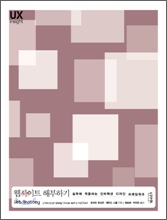
<li><img src="http://image.yes24.com/momo/TopCate160/MidCate02/15917878.jpg" alt="Book #2" /></li>
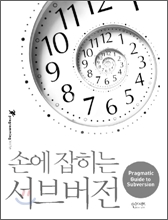
<li><img src="http://image.yes24.com/momo/TopCate152/MidCate08/15174800.jpg" alt="Book #3" /></li>

<li><img src="http://insightbook.springnote.com/pages/8500578/attachments/5594964" alt="Book #4" /></li>
<li><img src="http://insightbook.springnote.com/pages/7906642/attachments/5411872" alt="Book #5" /></li>
<li><img src="http://cfile3.uf.tistory.com/image/197A43364E6022C04F44D9" alt="Book #6" /></li>
<li><img src="http://cfile4.uf.tistory.com/image/14272C394E6022E1247E60" alt="Book #7" /></li>
<li><img src="http://cfile25.uf.tistory.com/image/16693A4D4E363453276921" alt="Book #8" /></li>
<li><img src="http://cfile7.uf.tistory.com/image/1208654B4E0AB1DF1B8309" alt="Book #9" /></li>
<li><img src="http://insightbook.springnote.com/pages/7751314/attachments/5160842" alt="Book #10" /></li>
<li><img src="http://insightbook.springnote.com/pages/7591481/attachments/5007932" alt="Book #11" /></li>
<li><img src="http://cfile26.uf.tistory.com/image/1506AF474DF70B7E10AC86" alt="Book #12" /></li>
<li><img src="http://insightbook.springnote.com/pages/7353367/attachments/4864463" alt="Book #13" /></li>
<li><img src="http://cfile29.uf.tistory.com/image/1506AF474DF70B7D0F3ABB" alt="Book #14" /></li>
<li><img src="http://insightbook.springnote.com/pages/6844495/attachments/4514309" alt="Book #15" /></li>
<li><img src="http://insightbook.springnote.com/pages/6635359/attachments/4364331" alt="Book #16" /></li>
</ul>
</div>
</section>
</body>
</html>
[stylesheet.less]
@itemWidth: 80px;
@itemHeight: 120px;
@linkWidth: 25px;
@linkHeight: 50px;
body {
font-size: 12px;
background: #EEE;
color: #333;
margin: 0;
}
#content {
margin: 10px auto;
padding: 20px;
width: 600px;
background: #FFF;
}
#books {
position: relative;
border: 2px solid #CCC;
ul {
margin: 0;
padding: 0;
list-style-type: none;
overflow: hidden;
}
li {
float: left;
margin: 5px;
width: @itemWidth;
height: @itemHeight;
border: 1px solid #EEE;
img {
width: @itemWidth;
height: @itemHeight;
}
}
a.previous,
a.next {
position: absolute;
top: (@itemHeight - @linkHeight) / 2;
display: block;
width: @linkWidth;
height: @linkHeight;
background-image: url(http://bookdaum.com/slide/images/arrow.gif);

background-repeat: no-repeat;
overflow: hidden;
text-indent: -10000.0em;
}
a.previous {
left: 0;
background-position: 0 0;
&:hover {
background-position: 0 -@linkHeight;
}
}
a.next {
right: 0;
background-position: -@linkWidth 0;
&:hover {
background-position: -@linkWidth -@linkHeight;
}
}
}
[application.coffee]
jQuery.fn.bookScroller = (options) ->
showCount = options.showCount
scrollCount = options.scrollCount
duration = options.duration
container = $(this)
list = container.find('ul')
items = list.find('li')
firstItem = list.find('li:first')
itemWidth = firstItem.outerWidth(true)
itemHeight = firstItem.outerHeight(true)
step = (now, fx) ->
item = $(fx.elem)
if now <= -itemWidth
fx.now += items.length * itemWidth
if now >= (items.length - 1) * itemWidth
fx.now -= items.length * itemWidth
prevLink = $('<a></a>').attr(href: '#').text('Previous').addClass('previous')
.click ->
list.find('li').animate
left: "+=#{itemWidth * scrollCount}px"
,
duration: duration
easing: 'easeOutBounce'
step: step
false
nextLink = $('<a></a>').attr(href: '#').text('Next').addClass('next')
.click ->
list.find('li').animate
left: "-=#{itemWidth * scrollCount}px"
,
duration: duration
easing: 'easeOutBounce'
step: step
false
container
.append(prevLink)
.append(nextLink)
.css
overflow: 'hidden'
width: showCount * itemWidth
height: itemHeight
paddingLeft: prevLink.outerWidth()
paddingRight: nextLink.outerWidth()
list.css
position: 'relative'
overflow: 'hidden'
width: showCount * itemWidth
height: itemHeight
items.each (i, item) ->
$(item).css
position: 'absolute'
top: 0
left: i * itemWidth
$ ->
$('#books').bookScroller
showCount: 5
scrollCount: 5
duration: 800
|
댓글을 작성하시려면 로그인이 필요합니다.
댓글 2개