

안녕하세요
상품상세페이지 이미지 사이지가 좌우가 잘려나오는걸 없애려면 어떻게 해야할까요?
질문요청하신분들 자료를 보면서 shop.lib.php 에서 get_it_thumbnail 함수를 고치면된다해서
고쳐보고 있습니다만 잘 되지가 않아서 질문요청드립니다.
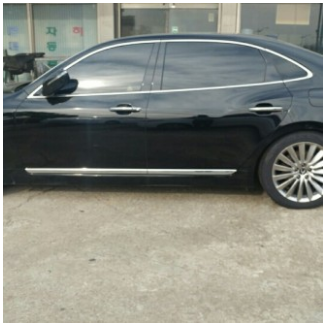
<원본사진>
<상품상세페이지 이미지>
질문 읽어주셔서 감사합니다.
Copy
// 상품이미지 썸네일 생성function get_it_thumbnail($img, $width='auto', $height=0, $id=''){ $str = ''; $file = G5_DATA_PATH.'/item/'.$img; if(is_file($file)) $size = @getimagesize($file); if($size[2] < 1 || $size[2] > 3) return ''; $img_width = $size[0]; $img_height = $size[1]; $filename = basename($file); $filepath = dirname($file); if($img_width && !$height) { $height = round(($width * $img_height) / $img_width); } $thumb = thumbnail($filename, $filepath, $filepath, $width, $height, false, true, 'center', false, $um_value='80/0.5/3'); if($thumb) { $file_url = str_replace(G5_PATH, G5_URL, $filepath.'/'.$thumb); $str = '<img class="img-responsive" src="'.$file_url.'" width="'.$width.'" height="'.$height.'"'; if($id) $str .= ' id="'.$id.'"'; $str .= ' alt="">'; } return $str;}
|

답변을 작성하려면 로그인이 필요합니다.