

코멘트에 이미지 추가

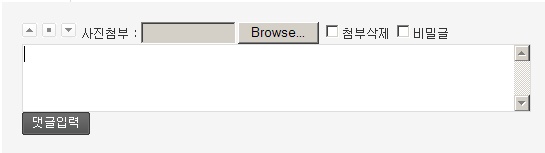
resize_content 함수를 쓸수있는 불당썸이 있어야합니다 아닐경우 아래 resize_content 부분을 따로 수정하세요
write_comment_update.skin.php
코멘트 내용출력 echo $str 전에 추가 합니다.
<?
$aaafile="";
$aaa="";
$aaafile = get_file($bo_table, $comment_id);
if($aaafile[0][view] && $aaafile[0][file])$aaa=$aaafile[0][view];
elseif($aaafile[0][file]) $aaa="
echo resize_content("$aaa",400);
if($aaa)echo"<br />";
?>
코멘트 입력 히든폼 부분에 추가 합니다
<input type="hidden" name="picname" value="<?=$aaafile[0][file]?>" />
코멘트 입력폼 적당한 부분에 추가 합니다
사진첨부 : <input type="file" name="comment_file" size="10" />
<? if (file_exists("$g4[path]/data/file/$bo_table/{$aaafile[0][file]}")) { ?>
<input type="checkbox" name="compic" value="1" />첨부삭제
<?}?>
아래 코드를 write_comment_update.tail.skin.php 파일로 저장해 해당 스킨 폴더에 넣습니다
<?
// 삭제에 체크가 되어있다면 파일을 삭제합니다.
if ($compic)
{
$row = sql_fetch(" select bf_file from $g4[board_file_table] where bo_table = '$bo_table' and wr_id = '$comment_id' and bf_no = '0' ");
@unlink("$g4[path]/data/file/$bo_table/$picname");
sql_query("delete from $g4[board_file_table] where bo_table = '$bo_table' and wr_id = '$comment_id' ");
}
else
{
$row = sql_fetch(" select count(*) as cnt from $g4[board_file_table] where bo_table = '$bo_table' and wr_id = '$comment_id'");
if($row && is_uploaded_file($_FILES[comment_file][name]))alert("이미 파일이 존재 합니다. 기존 파일을 삭제하기위해 파일삭제를 체크 해주세요");
}
$ffname = md5($g4[time_ymdhis]).".jpg";
if(is_uploaded_file($_FILES[comment_file][tmp_name])) {
$tmp_file = $_FILES[comment_file][tmp_name];
$filename = $_FILES[comment_file][name];
$filesize = $_FILES[comment_file][size];
if(ereg("\.jpg", strtolower($_FILES[comment_file][name])))$tagggs = 1;
if(ereg("\.gif", strtolower($_FILES[comment_file][name])))$tagggs = 1;
if(ereg("\.png", strtolower($_FILES[comment_file][name])))$tagggs = 1;
if(!$tagggs)alert("이미지 파일이 아닙니다. 혹은 BMP파일은 업로드 할 수 없습니다.");
if ($filesize > 400000)
{
$file_upload_msg .= "\'{$filename}\' 파일의 용량(".number_format(400000)." 바이트)이 게시판에 설정(".number_format(400000)." 바이트)된 값보다 크므로 업로드 하지 않습니다.\\n";
alert("$file_upload_msg");
}
$dest = "$g4[path]/data/file/$bo_table/".$ffname;
move_uploaded_file($_FILES[comment_file][tmp_name], "$dest");
$imagesize = @getimagesize($dest);
$sql = " insert into $g4[board_file_table]
set bo_table = '$bo_table',
wr_id = '$comment_id',
bf_no = '0',
bf_source = '$ffname',
bf_file = '$ffname',
bf_content = '{$bf_content}',
bf_download = 0,
bf_filesize = '$filesize',
bf_width = '{$imagesize[0]}',
bf_height = '{$imagesize[1]}',
bf_type = '{$imagesize[2]}',
bf_datetime = '$g4[time_ymdhis]' ";
sql_query($sql);
}
?>
댓글 9개
write_comment_update.skin.php
echo $str <- 없어요...ㅠㅠ
억지로 해보니, 하얀 페이지만 나와요...ㅠㅠ
$aaafile="";
$aaa="";
$aaafile = get_file($bo_table, $comment_id);
if($aaafile[0][view] && $aaafile[0][file])$aaa=$aaafile[0][view];
elseif($aaafile[0][file]) $aaa="
echo resize_content("$aaa",400); -----요라인과
if($aaa)echo"<br />"; -----------요라인에서 구문 에러가남 해결좀
?>
저는 개발자라 다행인지ㅎㅎㅎㅎ
오류 몇개 해결하니까 되네요.
그리고, 불당썸 아니고 불당 리사이즈...