

사업자등록번호 입력하면 폐업여부 확인 소스
취업게시판 사용할때 사업자등록증으로 승인 절차할때 사용할려고 만들었습니다
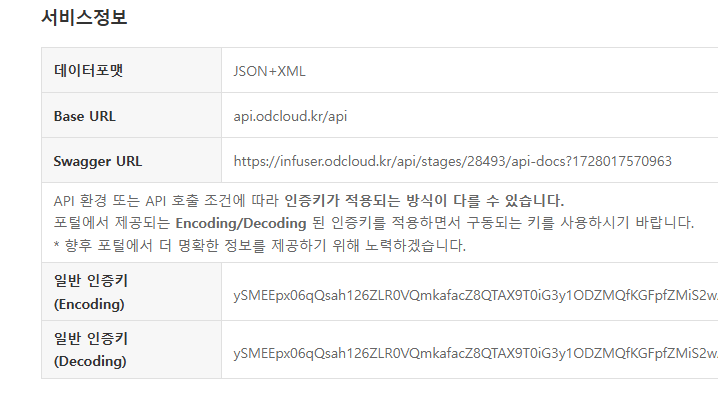
1. 이 누리집은 대한민국 공식 전자정부 누리집에서 코드를 발급 받으세요
주소 : https://www.data.go.kr/data/15081808/openapi.do
2. 사업자번호 10자리 입력하면 옆에 출력
[code]
<style>
#result {
display: inline-block;
margin-left: 20px;
vertical-align: top;
}
</style>
<script src="https://code.jquery.com/jquery-3.6.0.min.js"></script>
</head>
<body>
<h1>사업자 폐업 상태 확인</h1>
<form name="fwrite" id="fwrite" action="<?php echo $action_url ?>" onsubmit="return fwrite_submit(this);" method="post" enctype="multipart/form-data" autocomplete="off" style="width:<?php echo $width; ?>">
<input type="text" name="wr_4" id="wr_4" value="" class="frm_input" required="" maxlength="10" pattern="\d{10}" title="" placeholder="사업자등록번호">
<div id="result"></div>
</form>
<script>
$(document).ready(function() {
$('#wr_4').on('input', function() {
var b_no = $(this).val();
// 사업자 번호가 10자리일 때만 요청을 보냅니다.
if (b_no.length === 10) {
var data = {
"b_no": [b_no]
};
$.ajax({
url: "https://api.odcloud.kr/api/nts-businessman/v1/status?serviceKey=발급키입력", // 자신의 serviceKey로 변경하세요.
type: "POST",
data: JSON.stringify(data),
dataType: "JSON",
contentType: "application/json",
success: function(result) {
if (result.data && result.data.length > 0) {
var status = result.data[0].b_stt;
var taxType = result.data[0].tax_type;
$('#result').html('<p><strong>사업자 상태:</strong> ' + status + '</p><p><strong>세금 유형:</strong> ' + taxType + '</p>');
} else {
$('#result').html('<p>결과를 찾을 수 없습니다.</p>');
}
},
error: function(result) {
$('#result').html('<p>에러가 발생했습니다: ' + result.responseText + '</p>'); //responseText의 에러메세지 확인
}
});
} else {
$('#result').html(''); // 사업자 번호가 10자리가 아니면 결과를 지웁니다.
}
});
});
</script>
[/code]
사업자번호 10자리 입력하면 옆에 사업자 상태, 세금 유형을 확인이 가능합니다.

사용 gif 사진입니다

댓글 13개
오... 감사합니다!! 예전에 사업자등록증을 입력받는 걸 만든 적이 있었는데 한번 적용해봐야겠네요!
감사 합니다.
감사합니다 ^^
입력칸만 나오면서 작동을 안하네요
도움 부탁드립니다.ㅠ
@하늘아래구름
@카이루 아이고~~ 감사합니다. 잘 적용됩니다
수고 많으셨고 감사 합니다.
감사합니다.
감사합니다
감사합니다.
선생님 업종. 업태까지 같이 나와버리게할수도있을까요? 일일히 작성시 다르게들 입력을 하셔서 ㅎㅎ
@웅푸 국세청에서도 사업자등록상태까지만 노출됩니다...
https://hometax.go.kr/websquare/websquare.html?w2xPath=/ui/pp/index_pp.xml&tmIdx=43&tm2lIdx=4302000000&tm3lIdx=4302040000
@카이루 네 고맙습니다. 감사합니다.^^