





답변 3개
채택된 답변
+20 포인트
2024-04-29 (월) 17:21:13

1. 글꼴 다운로드 및 임의의 경로에 글꼴을 업로드합니다.
- 아래에서는 `static/font/...` 경로에 위치했습니다.
2. ckeditor 글꼴 설정에 원하는 글꼴을 추가합니다.
`static\plugin\editor\ckeditor4\config.js`
Copy
CKEDITOR.editorConfig = function( config ) {

    ...

    // 글꼴관련

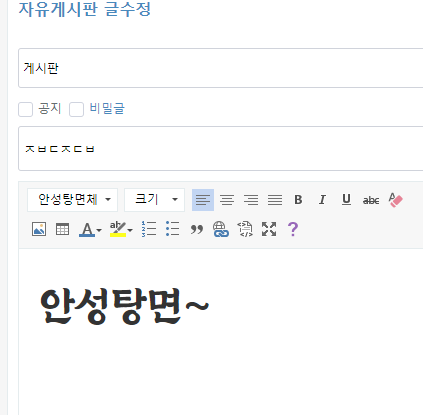
    config.font_names = '맑은 고딕;굴림;굴림체;궁서;궁서체;돋움;돋움체;바탕;바탕체;안성탕면체/Ansungtangmyun-Bold;';  // + CKEDITOR.config.font_names;

    ...
3. `static\plugin\editor\ckeditor4\contents.css`, `templates\basic\static\css\default.css`
두개 파일의 최하단에 아래 코드를 추가합니다.
Copy
@font-face {

    font-family: "Ansungtangmyun-Bold";

    font-display: block;

    font-weight: normal;

    font-style: normal;

    src: url(/static/font/Ansungtangmyun-Bold.ttf) format('truetype');

}
2024-04-30 (화) 10:11:56
녹두탐님 감사합니다. 덕분에 되네요~!
답변을 작성하려면 로그인이 필요합니다.