

이미지 업로드 시 사진 대신 소스가 표시됩니다. 채택완료
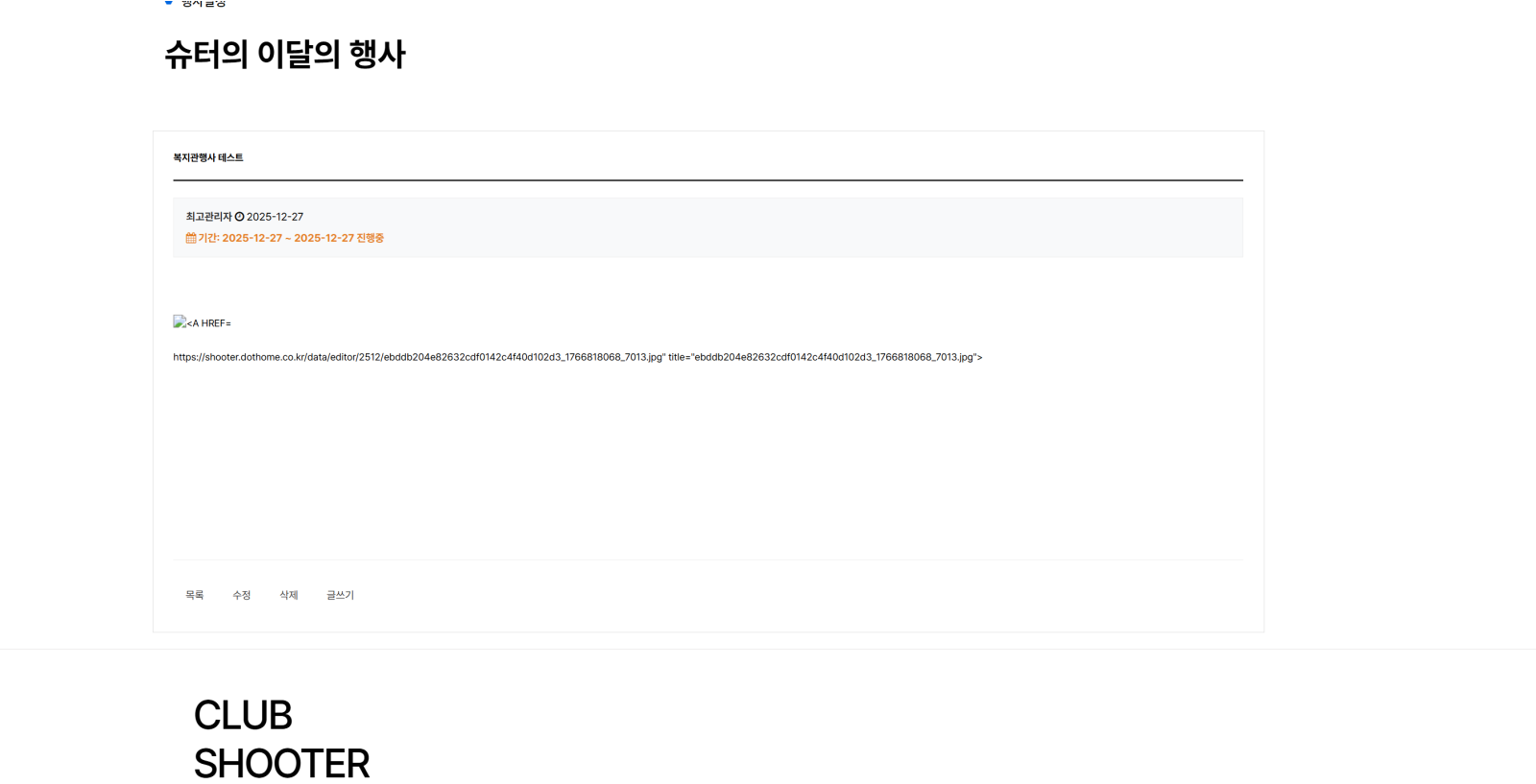
view.skin.php
write.skin.php
css
@charset "utf-8";

/* 레이아웃 초기화 및 float 해제 핵심 */

.clearfix::after { content: ""; display: block; clear: both; }

#bo_gall, #bo_v, #bo_w { clear: both; width: 100% !important; margin: 20px auto; padding: 25px; border: 1px solid #ddd; background: #fff; box-sizing: border-box; overflow: hidden; }

/* 카테고리 & 상단 버튼 정렬 */

#bo_cate { margin-bottom: 20px; clear: both; }

#bo_btn_top { margin-bottom: 20px; border-bottom: 1px solid #eee; padding-bottom: 15px; clear: both; }

#bo_list_total { float: left; line-height: 38px; color: #666; font-size: 14px; }

.btn_bo_user { float: right; }

/* 갤러리 리스트 정렬 (list.skin.php) */

#gall_ul { list-style: none; padding: 0; margin: 0 -10px; clear: both; }

.gall_li { float: left; width: 25%; padding: 10px; box-sizing: border-box; }

.gall_box { border: 1px solid #e9e9e9; background: #fff; border-radius: 8px; overflow: hidden; transition: 0.3s; }

.gall_box:hover { border-color: #3a8afd; box-shadow: 0 5px 15px rgba(0,0,0,0.1); }

.gall_img img { width: 100%; display: block; height: auto; }

.gall_text { padding: 15px; border-top: 1px solid #f0f0f0; }

.bo_tit { display: block; font-weight: bold; color: #333; font-size: 15px; margin-bottom: 8px; white-space: nowrap; overflow: hidden; text-overflow: ellipsis; }

.bo_date { font-size: 12px; color: #ff5e00; font-weight: bold; }

/* 상세페이지 스타일 (view.skin.php) */

#bo_v_title { padding-bottom: 20px; border-bottom: 2px solid #333; margin-bottom: 20px; }

#bo_v_info { background: #f8f9fa; padding: 15px; margin-bottom: 30px; border: 1px solid #eee; font-size: 13px; clear: both; }

#bo_v_atc { min-height: 300px; padding: 20px 0; clear: both; overflow: hidden; line-height: 1.8; }

#bo_v_con img { max-width: 100% !important; height: auto !important; display: block; margin: 20px auto; }

/* 하단 버튼 및 공통 버튼 */

#bo_v_top { clear: both !important; padding-top: 25px; border-top: 1px solid #eee; margin-top: 40px; }

.bo_v_left { list-style: none; padding: 0; margin: 0; }

.bo_v_left li { display: inline-block; margin-right: 5px; float: left; }

.btn_b01, .btn_admin, .btn_submit {

    display: inline-block; padding: 0 15px; height: 38px; line-height: 36px; border: 1px solid #ccc;

    background: #fff; color: #333 !important; text-decoration: none; font-size: 13px; border-radius: 4px;

}

.btn_submit { background: #3a8afd; color: #fff !important; border-color: #2e7be5; }

/* 반응형 모바일 */

@media (max-width: 768px) { .gall_li { width: 50%; } }
답변 3개
범인은 이중에 있습니다.
$content = $view['wr_content']; // wr_content로 해보세요
//$content = htmlspecialchars_decode($content, ENT_QUOTES); 하나씩 없애보세요
//$content = html_entity_decode($content, ENT_QUOTES, 'UTF-8'); 하나씩 없애보세요
echo get_view_thumbnail(conv_content($content, 1));
이것도 안되면
echo $content 이렇게 해보세요
답변에 대한 댓글 2개
 nanase
댓글을 작성하려면 로그인이 필요합니다.

선생님 f12눌러ㅅ확인해보면 HTML이 중간에 깨져서 이미지 태그가 망가진 상태로 확인됩니다.
<section id="bo_v_atc">
<div id="bo_v_con">
<p><img src="" alt="<A HREF=">https://shooter.dothome.co.kr/data/editor/2512/ebddb204e82632cdf0142c4f40d102d3_1766818068_7013.jpg" title="ebddb204e82632cdf0142c4f40d102d3_1766818068_7013.jpg"><br style="clear:both;"> </p> </div>
</section>

하여
혛ㄴ제 src="" 이미지 주소가 비어있고 그리고 alt 속성안에 html 문자 그대로 들어가 있어요 실제로 url 태그밖으로 나와 잇다라는뜻입니다.
하여
뷰페이지에서 <?php echo get_view_thumbnail(conv_content($view['content'], 1)); ?> 이런식으로 되어있는지 확인해보시고 content = htmlspecia 이런 디코딩 코드느 ㄴ전부삭제 하시기바랍니다.
제일 빠른 확인방법은 스킨을 다른 스킨으로 변경해서 테스트 해보시기 바랍니다.
댓글을 작성하려면 로그인이 필요합니다.
답변에 대한 댓글 1개
댓글을 작성하려면 로그인이 필요합니다.
답변을 작성하려면 로그인이 필요합니다.
로그인
//$content = htmlspecialchars_decode($content, ENT_QUOTES); 하나씩 없애보세요
//$content = html_entity_decode($content, ENT_QUOTES, 'UTF-8'); 하나씩 없애보세요
두개는 없애도 되겠죠?