
갤러리 뷰 슬라이드
본문
<?php
$v_img_count = count($view['file']);
$has_images = false;
$editor_images = array();
// 첨부파일 이미지 확인
if($v_img_count) {
for ($i = 0; $i < $v_img_count; $i++) {
if (isset($view['file'][$i]) && isset($view['file'][$i]['view'])) {
$has_images = true;
break;
}
}
}
// 에디터 내용에서 이미지 추출
if(!$has_images) {
preg_match_all('/<img[^>]*src=[\'"]([^\'"]+)[\'"][^>]*>/i', $view['content'], $matches);
if(isset($matches[1]) && count($matches[1]) > 0) {
$editor_images = $matches[1];
$has_images = true;
}
}
// 이미지가 있을 경우에만 스와이퍼 표시
if($has_images) {
?>
<div class="swiper mySwiper">
<div class="swiper-wrapper">
<?php
// 첨부파일 이미지 처리
if($v_img_count && empty($editor_images)) {
for ($i = 0; $i < $v_img_count; $i++) {
if (isset($view['file'][$i]) && isset($view['file'][$i]['view'])) {
$thumb = $view['file'][$i]['view'];
preg_match('/src="([^"]+)"/', $thumb, $matches);
$image_url = isset($matches[1]) ? $matches[1] : '';
if ($image_url) {
echo '<div class="swiper-slide">';
echo '<img src="' . $image_url . '" style="width: 100%; height: 100%; object-fit: cover;">';
echo '</div>';
}
}
}
}
// 에디터 이미지 처리
else if(!empty($editor_images)) {
foreach($editor_images as $img_url) {
echo '<div class="swiper-slide">';
echo '<img src="' . $img_url . '" style="width: 100%; height: 100%; object-fit: cover;">';
echo '</div>';
}
}
?>
</div>
<div class="swiper-button-next"></div>
<div class="swiper-button-prev"></div>
<div class="swiper-pagination"></div>
</div>
<?php
$total_images = !empty($editor_images) ? count($editor_images) : $v_img_count;
if ($total_images > 1) :
?>
<div class="swiper mySwiper2" style="margin-top: 10px;">
<div class="swiper-wrapper">
<?php
// 첨부파일 썸네일 처리
if($v_img_count && empty($editor_images)) {
for ($i = 0; $i < $v_img_count; $i++) {
if (isset($view['file'][$i]) && isset($view['file'][$i]['view'])) {
$thumb = $view['file'][$i]['view'];
preg_match('/src="([^"]+)"/', $thumb, $matches);
$image_url = isset($matches[1]) ? $matches[1] : '';
if ($image_url) {
echo '<div class="swiper-slide" style="width: 100px; height: 200px; cursor: pointer; overflow:hidden;">';
echo '<img src="' . $image_url . '" style="width: 100%; height: 100%; object-fit: cover;">';
echo '</div>';
}
}
}
}
// 에디터 썸네일 처리
else if(!empty($editor_images)) {
foreach($editor_images as $img_url) {
echo '<div class="swiper-slide" style="width: 100px; height:200px; cursor: pointer; overflow:hidden;">';
echo '<img src="' . $img_url . '" style="width: 100%; height: 100%; object-fit:cover;">';
echo '</div>';
}
}
?>
</div>
</div>
<?php endif; ?>
<script>
var swiper = new Swiper(".mySwiper2", {
loop: true,
spaceBetween: 10,
slidesPerView:5,
freeMode: true,
watchSlidesProgress: true,
});
<?php if ($total_images > 1) : ?>
var swiper2 = new Swiper(".mySwiper", {
loop: true,
spaceBetween: 10,
navigation: {
nextEl: ".swiper-button-next",
prevEl: ".swiper-button-prev",
},
thumbs: {
swiper: swiper,
},
});
<?php endif; ?>
</script>
<?php } ?>
갤러리 뷰 슬라이드 소스입니다.
첨부파일을 10개 정도 했습니다.
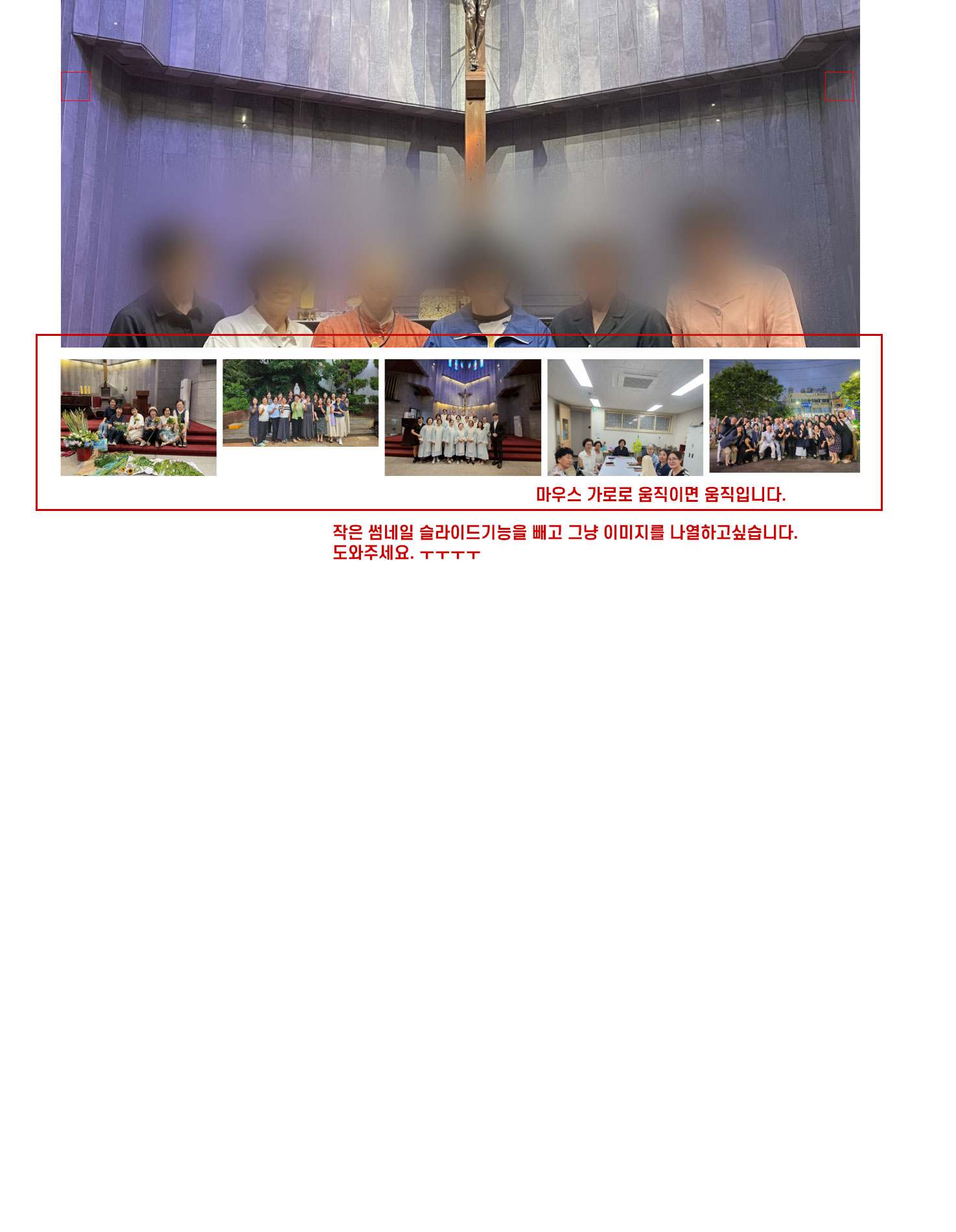
아래 썸네일 부분쪽에 슬라이드를 뺴고
(아래 썸네일은 가로로 움직이면 움직입니다. )
그냥 썸네일을 나열하고 싶은데 어디부분에 소스를 수정해야할까요??
답변 1

월래 대로 하고싶으시다면
모두지우고 기본 순수 basic 스킨파일에 정의된 코드 그대로 넣으시면됩니다. 선생님
<?php
$cnt = 0;
if ($view['file']['count']) {
for ($i=0; $i<count($view['file']); $i++) {
if (isset($view['file'][$i]['source']) && $view['file'][$i]['source'] && !$view['file'][$i]['view'])
$cnt++;
}
}
?>
<?php if($cnt) { ?>
<!-- 첨부파일 시작 { -->
<section id="bo_v_file">
<h2>첨부파일</h2>
<ul>
<?php
// 가변 파일
for ($i=0; $i<count($view['file']); $i++) {
if (isset($view['file'][$i]['source']) && $view['file'][$i]['source'] && !$view['file'][$i]['view']) {
?>
<li>
<i class="fa fa-folder-open" aria-hidden="true"></i>
<a href="<?php echo $view['file'][$i]['href']; ?>" class="view_file_download">
<strong><?php echo $view['file'][$i]['source'] ?></strong> <?php echo $view['file'][$i]['content'] ?> (<?php echo $view['file'][$i]['size'] ?>)
</a>
<br>
<span class="bo_v_file_cnt"><?php echo $view['file'][$i]['download'] ?>회 다운로드 | DATE : <?php echo $view['file'][$i]['datetime'] ?></span>
</li>
<?php
}
}
?>
</ul>
</section>
<!-- } 첨부파일 끝 -->
<?php } ?>


