
KCP 본인인증 팝업창 만들어야하는데 어디다 의뢰를 해야될까요?
관련링크
본문
19금 인증 팝업창 만들어야된는데 어디에다 의뢰를 해야될까요? ~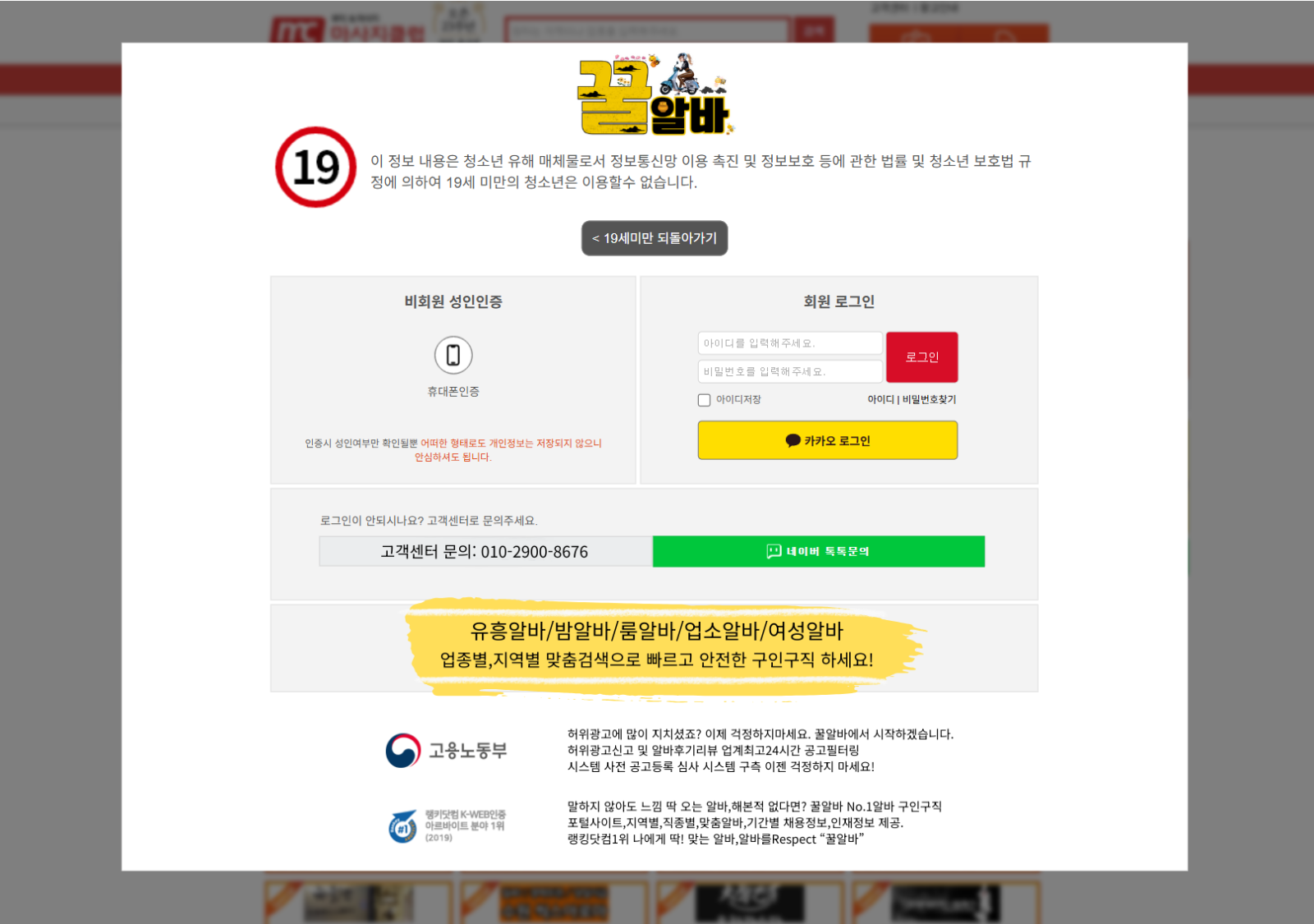
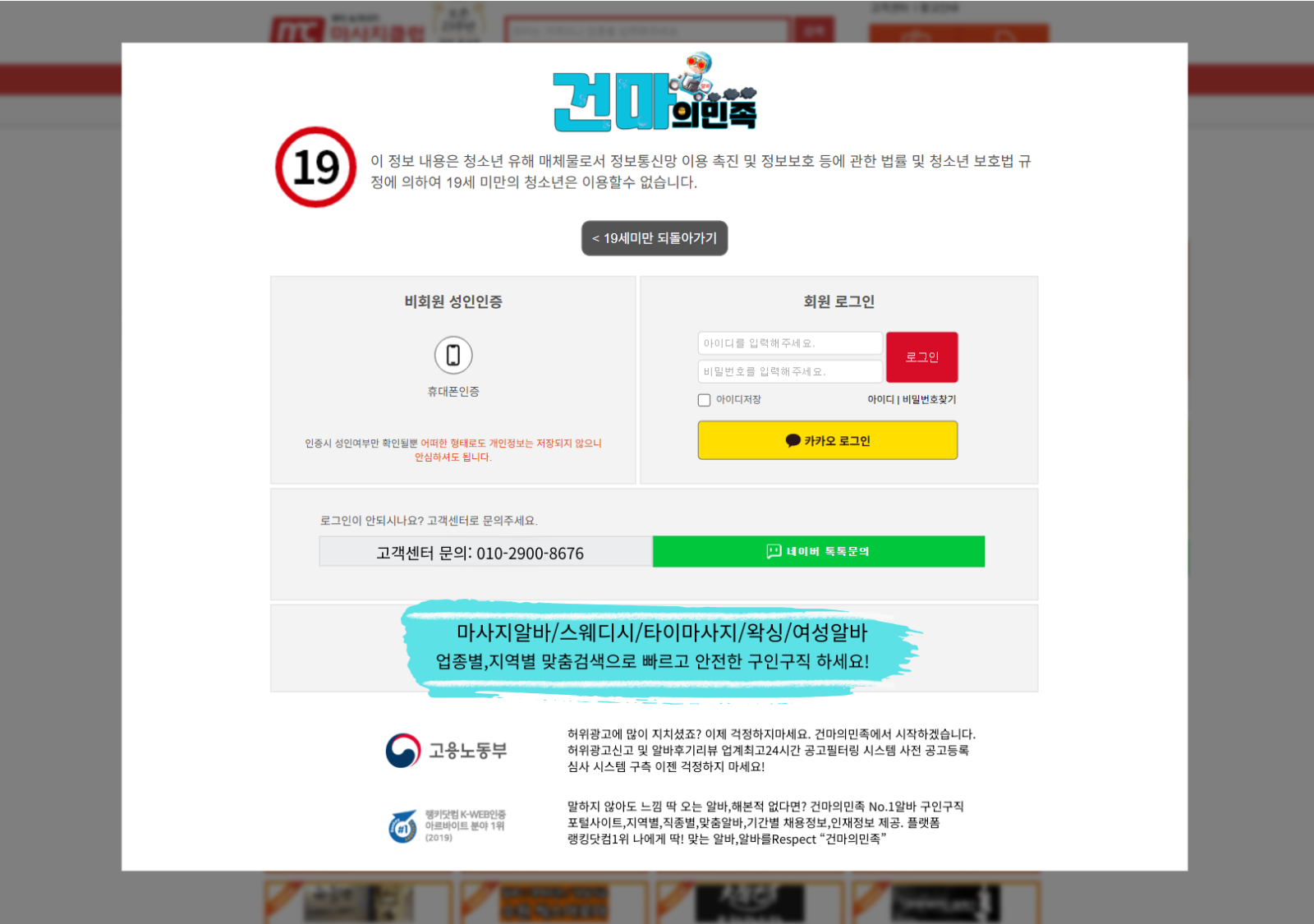
이렇게 만들고싶은데 복잡하네요 ㅠㅠ
답변 3
지금 claude.로 만들었는데 이 코드는 어디로 넣어야될까요? 고수님들 알려주세요~~~ㅠ.ㅠ 넣고 설정은 어떻게해야되는지 ㅠㅠ
file:///C:/Users/User/AppData/Local/Temp/6096e02d-bcb6-4be0-a94f-979b260e6b35_files.zip.b35/ggulalba-final.html
<!DOCTYPE html>
<html lang="ko">
<head>
<meta charset="UTF-8">
<meta name="viewport" content="width=device-width, initial-scale=1.0">
<title>꿀알바 - 성인인증</title>
<style>
* {
margin: 0;
padding: 0;
box-sizing: border-box;
}
body {
font-family: 'Malgun Gothic', '맑은 고딕', sans-serif;
background: #f5f5f5;
padding: 20px;
}
.container {
max-width: 726px;
margin: 0 auto;
background: white;
border: 1px solid #ddd;
}
/* Header Section */
.header {
padding: 40px 50px;
border-bottom: 1px solid #ddd;
background: white;
}
.logo-section {
display: flex;
align-items: center;
justify-content: center;
margin-bottom: 25px;
}
.logo-main-image {
width: 100%;
max-width: 500px;
height: auto;
}
.header-title {
font-size: 20px;
color: #333;
margin-bottom: 8px;
font-weight: 500;
text-align: center;
}
.header-title .highlight {
color: #ffdc2d;
font-weight: bold;
}
.header-description {
font-size: 13px;
color: #666;
line-height: 1.6;
margin-bottom: 20px;
text-align: center;
}
.header-description .important {
color: #FF2D55;
text-decoration: underline;
}
.age-badge-container {
display: flex;
justify-content: space-between;
align-items: center;
}
.age-notice {
background: black;
color: white;
padding: 8px 20px;
font-size: 13px;
font-weight: bold;
display: inline-block;
cursor: pointer;
}
.age-notice:hover {
background: #333;
}
.age-badge {
width: 100px;
height: 100px;
border: 8px solid #FF2D55;
border-radius: 50%;
display: flex;
align-items: center;
justify-content: center;
font-size: 56px;
font-weight: bold;
color: #333;
}
/* Content Section */
.content {
padding: 40px 50px;
}
.notice-box {
display: flex;
align-items: flex-start;
gap: 8px;
margin-bottom: 30px;
}
.notice-icon {
width: 20px;
height: 20px;
background: #ffdc2d;
border-radius: 50%;
display: flex;
align-items: center;
justify-content: center;
color: white;
font-weight: bold;
font-size: 14px;
flex-shrink: 0;
margin-top: 2px;
}
.notice-text {
font-size: 14px;
color: #333;
line-height: 1.5;
}
.notice-text .login-text,
.notice-text .auth-text {
color: #FF2D55;
font-weight: bold;
}
/* Login Section */
.section-title {
font-size: 15px;
font-weight: bold;
color: #333;
margin-bottom: 15px;
}
.main-content {
display: flex;
justify-content: space-between;
gap: 30px;
}
.login-section {
flex: 1;
}
.form-group {
margin-bottom: 10px;
}
.form-row {
display: flex;
align-items: center;
gap: 10px;
}
.form-label {
width: 60px;
font-size: 13px;
color: #666;
}
.form-input {
flex: 1;
padding: 8px 12px;
border: 1px solid #ddd;
font-size: 13px;
max-width: 200px;
}
.form-input:focus {
outline: none;
border-color: #ffdc2d;
}
.login-button {
background: #ffdc2d;
color: black;
border: none;
padding: 12px 35px;
font-size: 14px;
font-weight: bold;
cursor: pointer;
margin-left: 70px;
margin-top: 10px;
transition: all 0.2s;
}
.login-button:hover {
background: #e0c325;
}
.checkbox-group {
display: flex;
gap: 15px;
margin-top: 12px;
margin-left: 70px;
font-size: 12px;
color: #999;
}
.checkbox-group label {
display: flex;
align-items: center;
gap: 5px;
cursor: pointer;
}
.checkbox-group input[type="checkbox"] {
cursor: pointer;
}
.help-text {
margin-top: 15px;
margin-left: 70px;
font-size: 12px;
color: #666;
}
.help-text a {
color: #ffdc2d;
text-decoration: none;
font-weight: bold;
}
.help-text a:hover {
text-decoration: underline;
}
/* Auth Section */
.auth-section {
display: flex;
flex-direction: column;
gap: 15px;
}
.auth-buttons {
display: flex;
gap: 15px;
}
.auth-button {
flex: 1;
border: 1px solid #ddd;
background: white;
padding: 30px 20px;
cursor: pointer;
display: flex;
flex-direction: column;
align-items: center;
gap: 12px;
transition: all 0.2s;
}
.auth-button:hover {
border-color: #ffdc2d;
background: #fffef5;
}
.auth-icon {
width: 50px;
height: 50px;
display: flex;
align-items: center;
justify-content: center;
}
.lock-icon {
width: 28px;
height: 35px;
border: 3px solid #666;
border-radius: 4px 4px 0 0;
position: relative;
}
.lock-icon::before {
content: '';
position: absolute;
top: -12px;
left: 50%;
transform: translateX(-50%);
width: 20px;
height: 20px;
border: 3px solid #666;
border-bottom: none;
border-radius: 20px 20px 0 0;
}
.phone-icon {
width: 32px;
height: 48px;
border: 3px solid #666;
border-radius: 6px;
position: relative;
}
.phone-icon::before {
content: '';
position: absolute;
bottom: 5px;
left: 50%;
transform: translateX(-50%);
width: 12px;
height: 2px;
background: #666;
border-radius: 2px;
}
.auth-button-text {
font-size: 13px;
color: #333;
font-weight: 500;
}
.auth-warning {
background: #fffef5;
border-left: 3px solid #ffdc2d;
padding: 12px 15px;
font-size: 12px;
color: #333;
line-height: 1.5;
}
.auth-warning .red {
color: #ff2d2d;
}
.bottom-notice {
margin-top: 30px;
display: flex;
align-items: flex-start;
gap: 8px;
}
.bottom-notice-icon {
width: 20px;
height: 20px;
background: #ffdc2d;
border-radius: 50%;
display: flex;
align-items: center;
justify-content: center;
color: white;
font-weight: bold;
font-size: 14px;
flex-shrink: 0;
margin-top: 2px;
}
.bottom-notice-text {
font-size: 13px;
color: #333;
line-height: 1.5;
}
/* Footer */
.footer {
background: #ffdc2d;
color: black;
text-align: center;
padding: 20px;
}
.footer-phone {
font-size: 22px;
font-weight: bold;
margin-bottom: 5px;
}
.footer-copyright {
font-size: 11px;
opacity: 0.8;
}
@media (max-width: 768px) {
.container {
border: none;
}
.header, .content {
padding: 30px 20px;
}
.main-content {
flex-direction: column;
}
.age-badge-container {
flex-direction: column;
align-items: flex-start;
gap: 20px;
}
.age-badge {
margin-left: auto;
margin-right: auto;
}
.logo-main-image {
max-width: 100%;
}
}
</style>
</head>
<body>
<div class="container">
<!-- Header Section -->
<div class="header">
<div class="logo-section">
<img src="ggulalba-logo.png" alt="꿀알바 로고" class="logo-main-image">
</div>
<h1 class="header-title">여성전문 고소득 알바 No.1 <span class="highlight">꿀알바</span></h1>
<p class="header-description">
본 정보내용은 청소년 유해매체로부터 <span class="important">청소년보호</span> 이용유무 및 정보보호 등에 관한 법률 및<br>
청소년 보호법의 규정에 의하여 <span class="important">만19세 미만</span>의 청소년이 이용할 수 없습니다.
</p>
<div class="age-badge-container">
<div class="age-notice" onclick="window.history.back();">19세미만 되돌아가기</div>
<div class="age-badge">19</div>
</div>
</div>
<!-- Content Section -->
<div class="content">
<div class="notice-box">
<div class="notice-icon">✓</div>
<div class="notice-text">
꿀알바 서비스를 이용하기 위해서는 <span class="login-text">로그인</span> 또는 <span class="auth-text">성인인증</span>이 필요합니다.
</div>
</div>
<div class="main-content">
<!-- Login Section -->
<div class="login-section">
<h2 class="section-title">회원로그인</h2>
<form onsubmit="event.preventDefault(); alert('로그인 기능은 준비중입니다.');">
<div class="form-group">
<div class="form-row">
<label class="form-label">아이디</label>
<input type="text" class="form-input" placeholder="">
</div>
</div>
<div class="form-group">
<div class="form-row">
<label class="form-label">비밀번호</label>
<input type="password" class="form-input" placeholder="">
</div>
</div>
<button type="submit" class="login-button">로그인</button>
<div class="checkbox-group">
<label>
<input type="checkbox"> 아이디저장
</label>
<span>|</span>
<label>
<input type="checkbox"> 자동로그인
</label>
</div>
</form>
<div class="help-text">
로그인이 안되시나요? 고객센터로 문의해주세요.<br>
꿀알바 고객센터 <a href="tel:*** 개인정보보호를 위한 휴대폰번호 노출방지 ***">*** 개인정보보호를 위한 휴대폰번호 노출방지 ***</a><br>
<a href="#">꿀알바.org</a>
</div>
</div>
<!-- Auth Section -->
<div class="auth-section">
<div class="auth-buttons">
<button class="auth-button" onclick="alert('아이핀 서비스가 종료되었습니다.\\n휴대폰 인증을 이용해 주세요.')">
<div class="auth-icon">
<div class="lock-icon"></div>
</div>
<span class="auth-button-text">아이핀인증</span>
</button>
<button class="auth-button" onclick="alert('휴대폰 인증 창이 열립니다.')">
<div class="auth-icon">
<div class="phone-icon"></div>
</div>
<span class="auth-button-text">휴대폰인증</span>
</button>
</div>
<div class="auth-warning">
인증시 성인여부를 확인하고 <span class="red">이번 월말로 고객센터의 정보는</span> 저장되지 <span class="red">않습니다</span>. 아이핀/휴대폰 인증 방법을<br>
선택하여 성인인증을 해주세요.
</div>
</div>
</div>
<div class="bottom-notice">
<div class="bottom-notice-icon">✓</div>
<div class="bottom-notice-text">
인증 시 보안프로그램 설치는 '취소'를 하셔도 인증과정이 정상적으로 진행 됩니다.
</div>
</div>
</div>
<!-- Footer -->
<div class="footer">
<div class="footer-phone">구인구직 꿀알바 고객센터 *** 개인정보보호를 위한 휴대폰번호 노출방지 ***</div>
<div class="footer-copyright">COPYRIGHT(C) 2017 꿀알바 ALL RIGHT RESERVED.</div>
</div>
</div>
</body>
</html>
여기까지 했습니다.
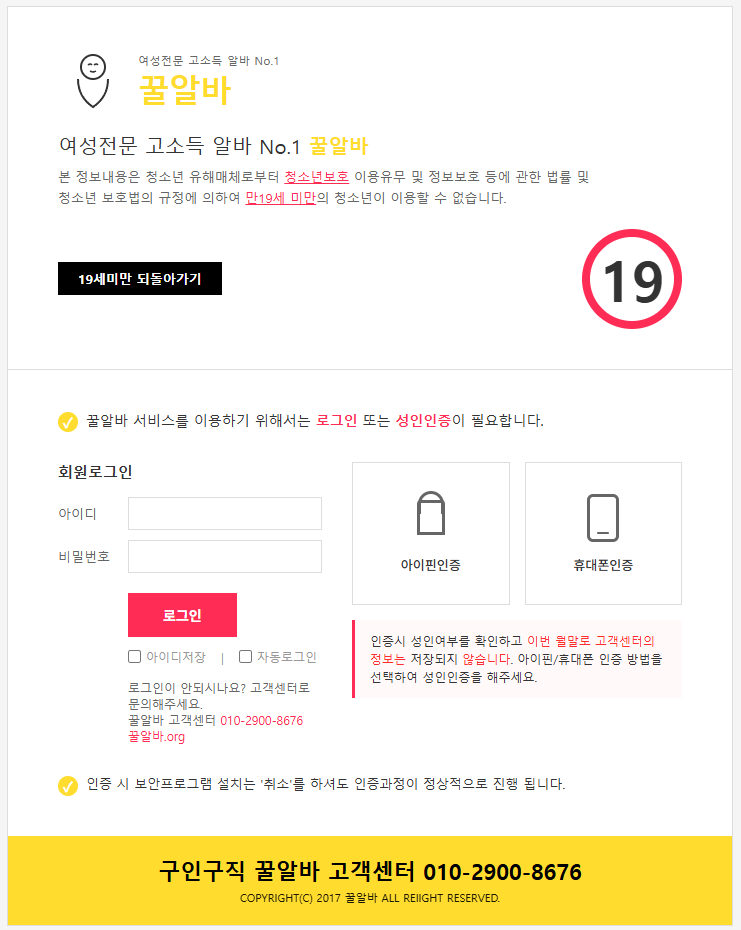
결과물은 너무 좋은데 이제 홈페이지 장착을 어떻게해야될지 큰일입니다...ㅜ.ㅠ
해야할 일이 많아서 이건 의뢰로 가셔야 할것 같습니다.
굳이 클로드로 쓰실거면
그누보드5 에서 head.php 에 비회원만 나타나게 할거야.
head.php 안에 넣을거니까 <html> 로 시작하는 전체 코드가 아닌 해당 부분 코드만 작업해줘.
그리고 로그인창과 회원가입창, 회원정보찾기, 회원정보수정은 예외로 해줘.
이렇게 요청해보세요.
이렇게 하면 위 조건에 맞는 인증안내 페이지가 나타날거고.
그 페이지는 head.php 상단에 잘 넣으시면됩니다.
그리고 그누보드5 회원가입 설정에서 회원가입시 성인인증을 필수로 지정하시면됩니다.


